
Build an At-Home Streaming Setup Without Overspending

You can build a living room that makes movie night feel like an event for a fraction of what the showroom tries to sell you. The trick is knowing which two upgrades carry the whole experience.
Walk into any electronics store and you'll be steered toward the biggest, brightest TV with the highest number on the sticker, plus a soundbar, plus a warranty, plus cables that cost more than a tank of gas. Most of that is margin, not magic. I've put together a few of these setups now, and the experience hinges on two things almost nobody emphasizes: sound and the streaming interface. Get those right and a mid-range TV feels premium. Get them wrong and a flagship TV feels flat.
The TV: stop chasing the spec sheet
Here's the uncomfortable truth: for a normal living room at normal viewing distance, the difference between a good mid-range 4K 4k smart tv">4K smart TV and the flagship costing twice as much is real but small, and you'll forget it exists within a week. What actually matters is panel type and brightness in your specific room. If you watch in a bright, sunny room, prioritize brightness. If you watch in a dim room and want the inky blacks, that's where stepping up to an oled tv">OLED TV genuinely pays off, the contrast is a visible, every-day improvement, not a spec-sheet one.
What to skip: 8K. There's almost no content for it, you can't see the difference at living-room distance, and you're paying a heavy premium for a number. Also skip the "motion smoothing" being on by default, it makes films look like cheap soap operas. Turn it off the day you set up.
Sound is the upgrade you actually hear
If you do one thing after buying the TV, fix the sound. Every flat TV has tinny, thin speakers because there's no room in the chassis for anything better. A decent soundbar">soundbar transforms dialogue clarity and gives explosions some weight, and it's the single most noticeable upgrade in the whole setup. Honestly, a great soundbar on a mid TV beats a flagship TV with its built-in speakers, every time.
If you want to go a step further and your room can take it, adding a wireless subwoofer">wireless subwoofer brings the low end that makes movies feel physical. You don't need a full surround system to feel the difference, the bar-plus-sub combo gets you 80% of the way for a fraction of the cost and the cable chaos. Full surround sound is wonderful but it's the last 20%, not the foundation. Don't start there.
The streaming box matters more than you think
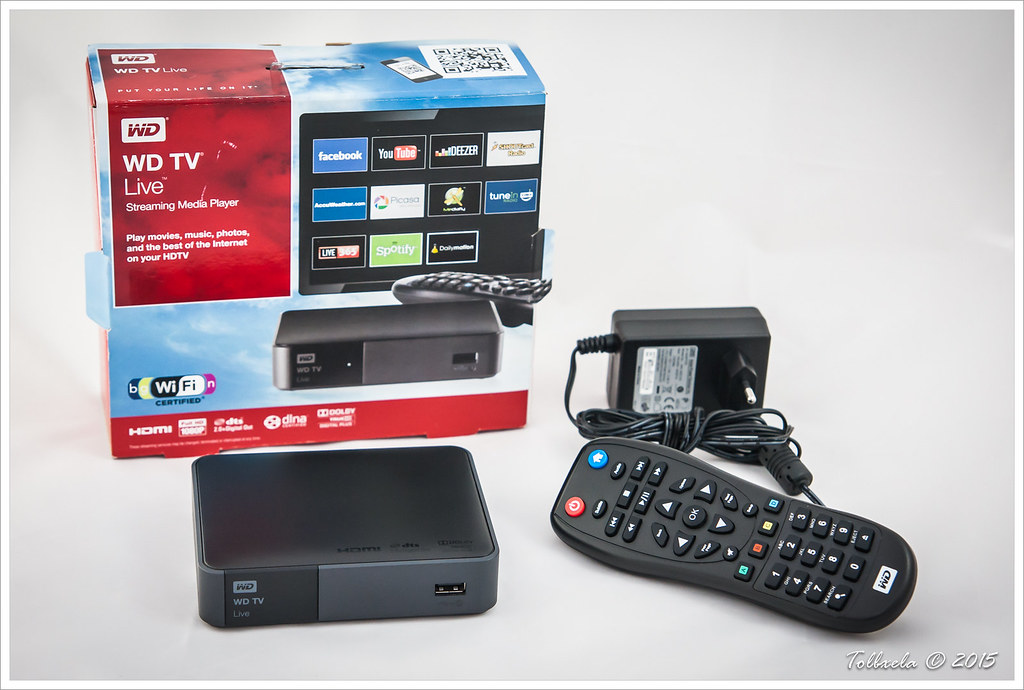
Built-in smart TV software is usually sluggish, ad-cluttered, and abandoned by the manufacturer after a couple of years. A dedicated streaming media player">streaming media player the size of a key fob gives you a faster, cleaner interface that stays updated, and you can move it to a new TV later. It's a small spend that you'll touch every single time you watch something, so the quality of that experience compounds. This is the upgrade people regret skipping.
The wiring and the little things
You need exactly one good hdmi cable">HDMI cable per device, and "good" means correctly rated for 4K HDR, not expensive. The store will try to sell you a $90 cable that performs identically to a $12 one. The signal is digital, it either gets there or it doesn't; there is no premium picture hiding in a pricier cable. Buy the correctly-rated cheap one and move on.
If your couch is far from the router and you're getting buffering, that's a network problem, not a TV problem, and a wifi extender">wifi extender or running ethernet to the TV solves it for less than a new anything. And a simple universal remote">universal remote that controls the TV and soundbar together saves you the four-remote coffee-table mess.
The honest build
If I were starting from a blank wall: a good mid-range 4K TV, a soundbar with a wireless sub, a dedicated streaming player, one correctly-rated HDMI cable, and sort out the network so it doesn't buffer. That setup makes movie night feel genuinely special and leaves a flagship-TV-with-stock-speakers setup in the dust, for a lot less money. Spend on the sound and the interface, not on the biggest number in the store.
Ready to shop? Compare streaming media player across stores →
